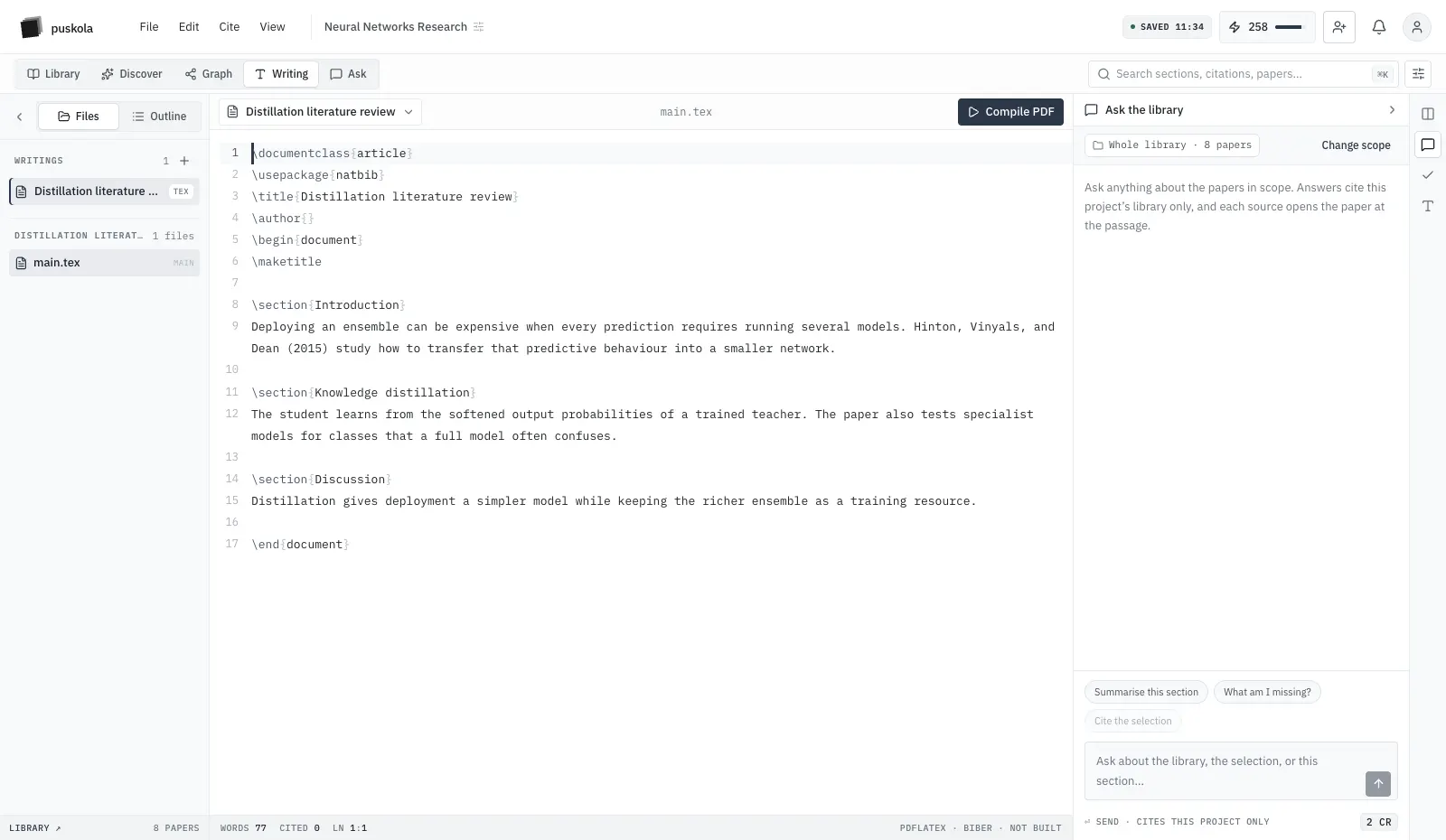
// apps — web, desktop, tablet, phone, browser
Your library, wherever you read.
Every app opens the same projects, papers, notes and highlights. Use the big screen to write and compare, the tablet to read closely, the phone to catch up, and the browser to save what you find.
The whole workspace, nothing to install.
The web app is where everything lives. It is the only place you need if you work from one computer, and the home base for everything the other apps sync to.
- Library, reader, summaries and cited questions
- Writing in rich text, LaTeX or Typst, with citations from the library
- Comparisons, the citation graph, analytics and progress
- People, roles, project settings and credits
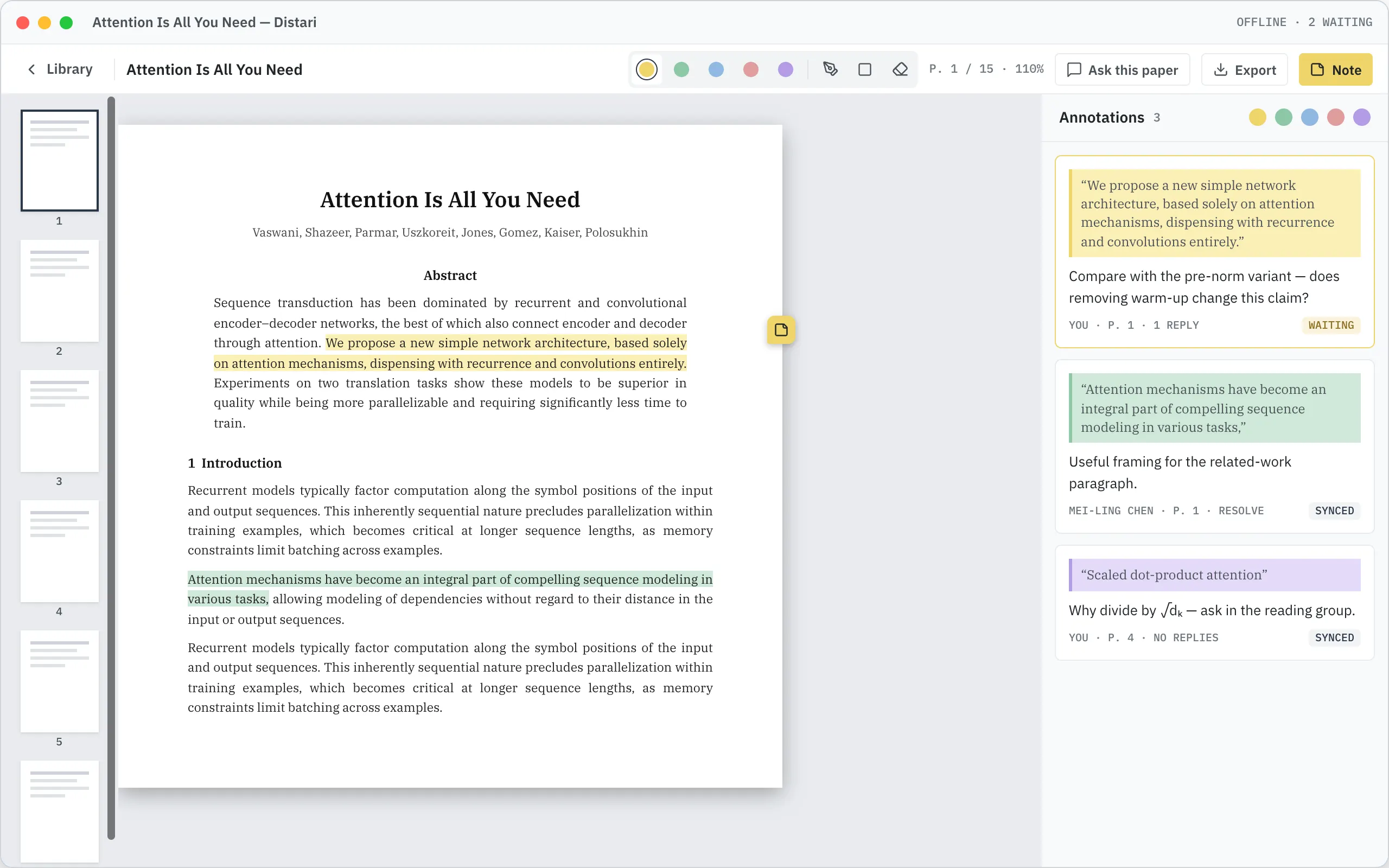
Your library and reader, with your papers on disk.
Your projects, papers, summaries and PDFs in a native window. Keep chosen projects on your machine and keep reading on a plane, in the archive, or anywhere the Wi-Fi gives up.
- Read and add notes offline; changes send when you reconnect
- Folders, papers and the reader side by side
- Conflicting edits kept for you to resolve
// 03 tablet + phone — iPadOS · iOS · Android
Read closely on one. Catch up on the other.
One native app that reshapes itself for the screen. Asking, writing, the graph and project administration stay on the web, where the screen fits them.
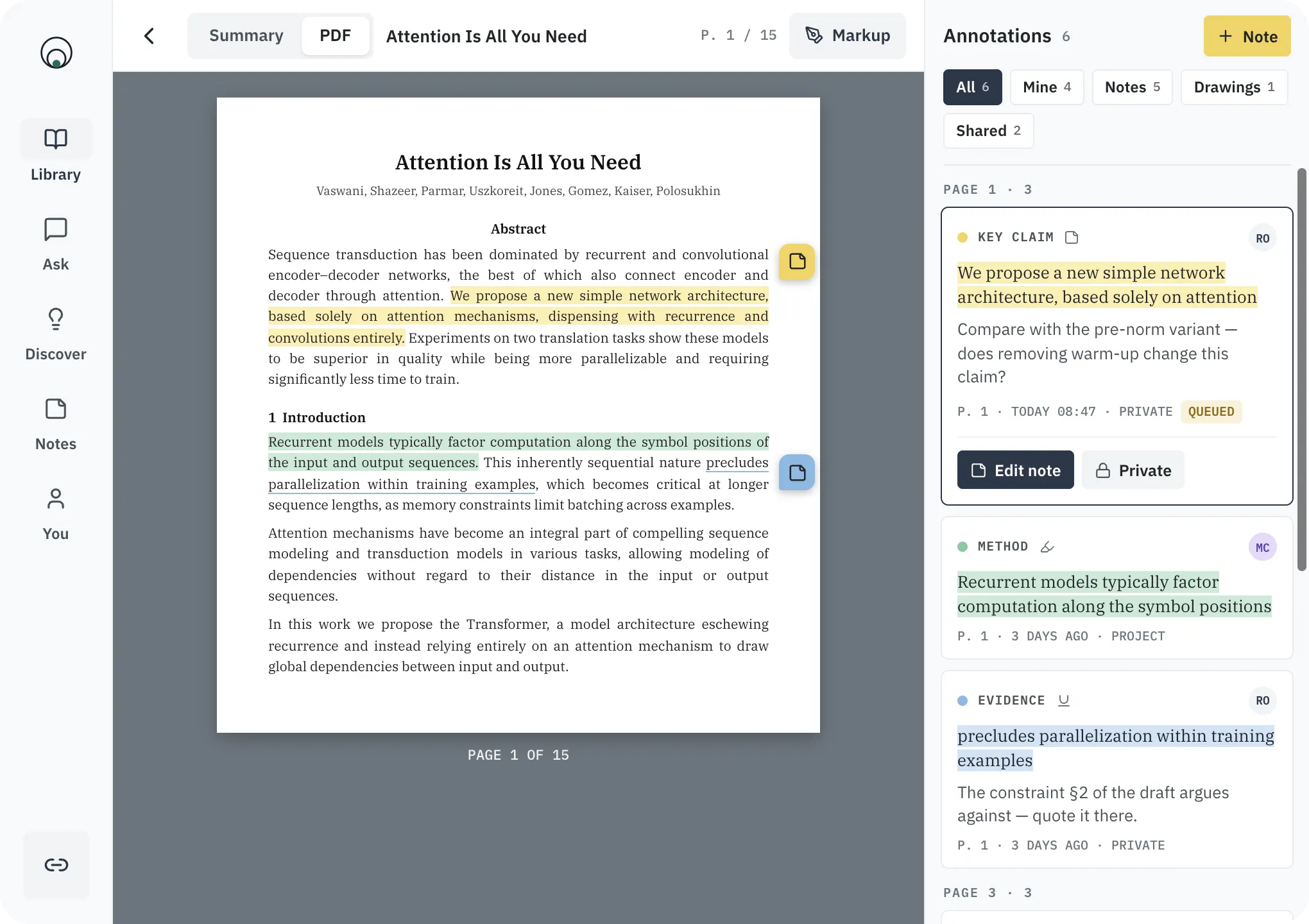
tablet
A reading desk you can hold
- Pin notes to the page, anchored on every device
- Paper list and summary side by side
- Keep whole folders for offline reading
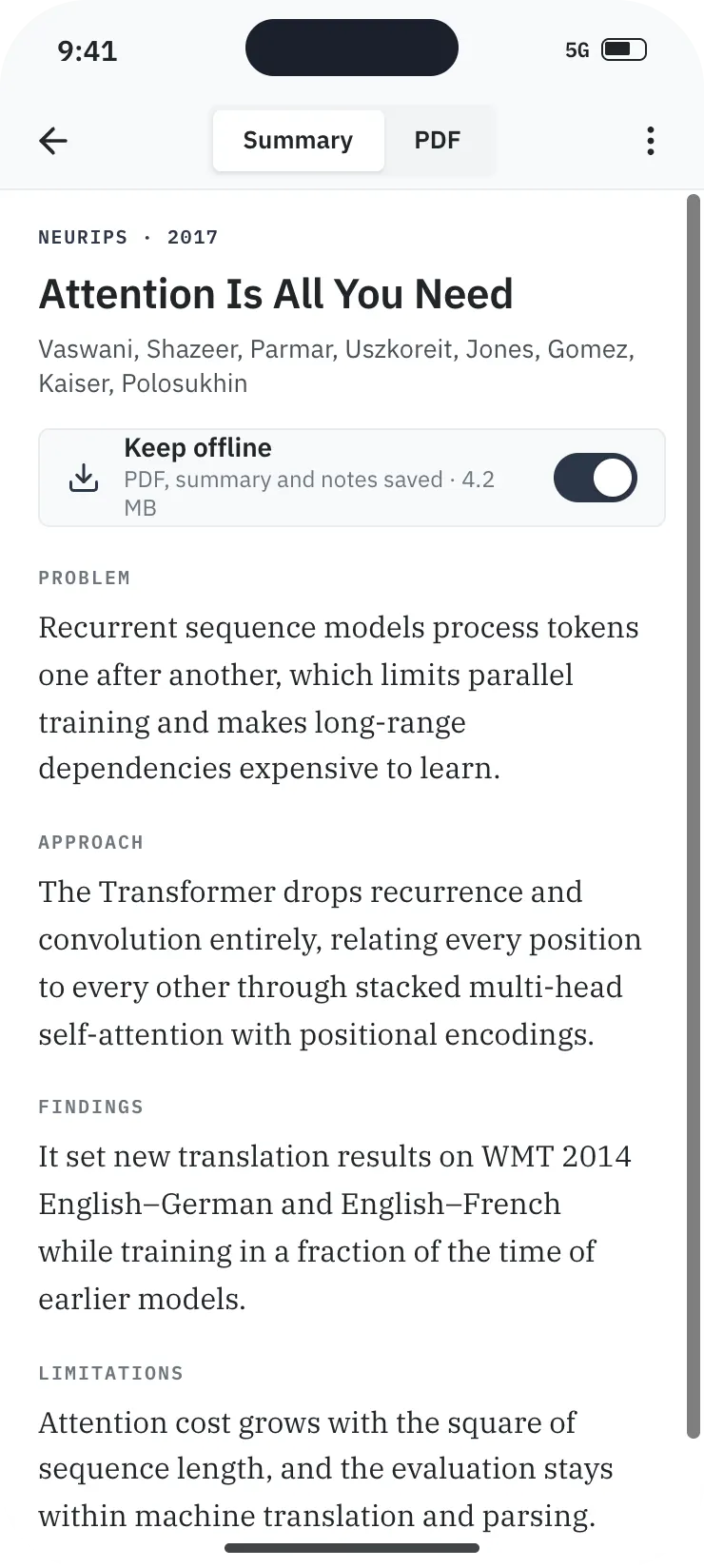
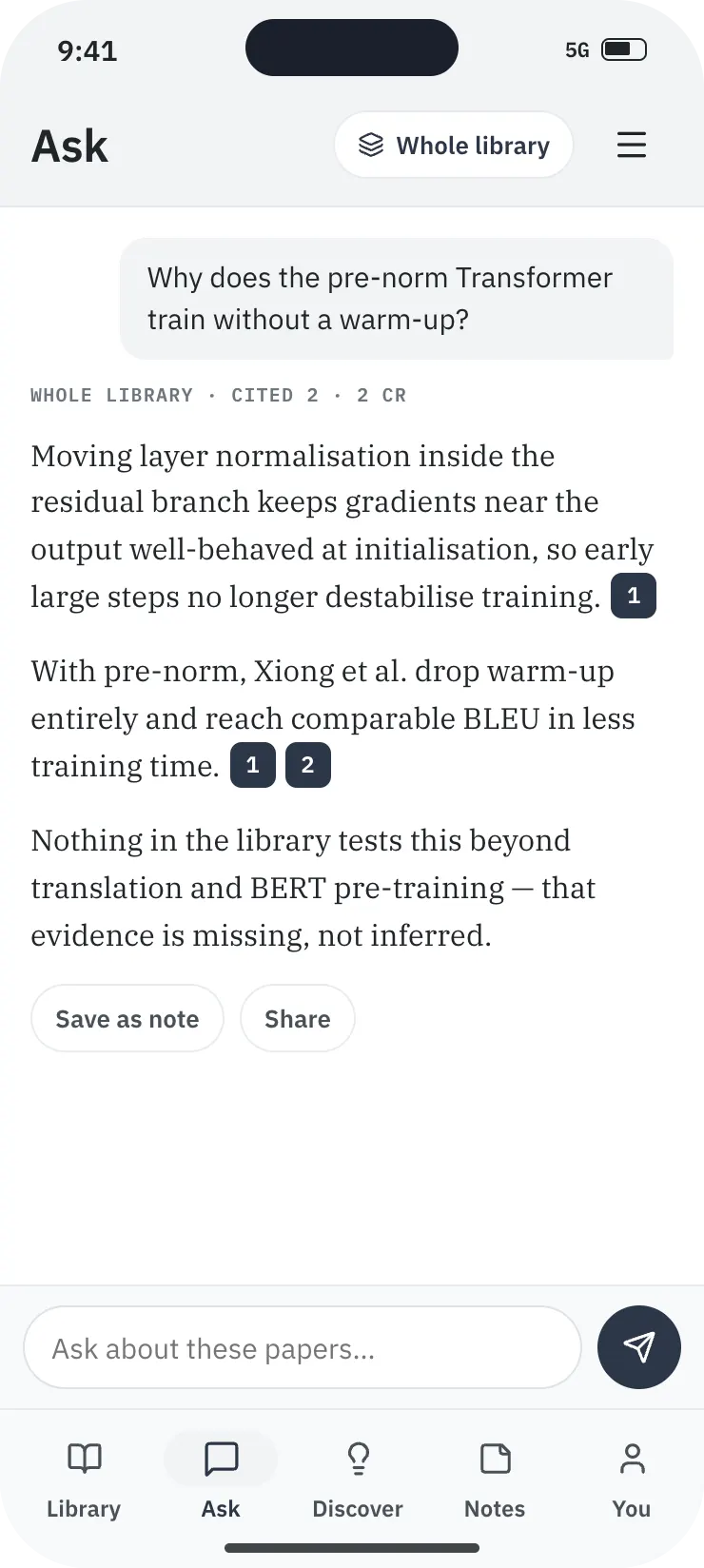
phone
Your library in your pocket
- Share a link, DOI or PDF from any app into a projectin validation
- Summaries and PDFs, even offline
- Push when a paper is ready or a teammate repliesin validation
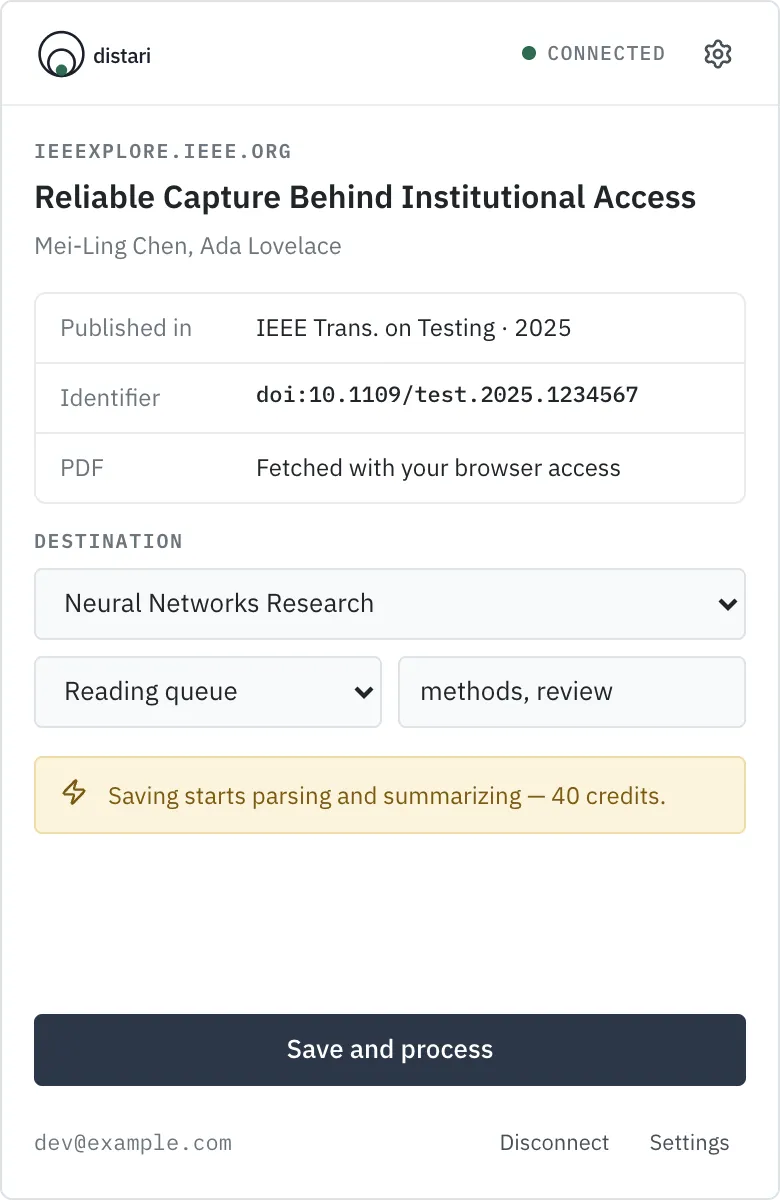
Save the paper you are looking at.
On a publisher or preprint page, one click reads the citation, fetches the PDF with the access you already have, and files both in the project you choose. If the PDF is out of reach, the record still comes in.
- Fetches the PDF with the access your browser already has
- Pick the project, folder and tags before you save
- Save buttons on supported search-result pages
// what each app does
Each shaped for its screen, all on the same project.
| webavailable | desktopbeta | tabletbeta | phonebeta | extensionin validation | |
|---|---|---|---|---|---|
| Library, folders and search | yes | yes | yes | yes | save only |
| Summaries | yes | yes | yes | yes | — |
| Read PDFs and add notes | yes | sticky notes | sticky notes | sticky notes | — |
| Offline reading | — | yes | yes | yes | — |
| Add papers | upload | pick a PDF | share sheet | share sheet | from the page |
| Cited questions and Discover | yes | — | — | — | — |
| Writing — rich text, LaTeX, Typst | yes | — | — | — | — |
| Compare and citation graph | yes | — | — | — | — |
| People, roles and project settings | yes | — | — | — | — |
yesin partin validation
// connecting a device
Connect once. Stay in sync.
Apps never ask for your password. You approve each one from the web, and you can disconnect any of them from your account.
- install01
Install the app
Get the desktop, mobile or browser app and choose “connect to Distari”.
- approve02
Approve it on the web
A browser window opens on your account. Approve the device there; the app receives its own revocable key.
- sync03
Pick up where you left off
Highlights, notes and new papers appear everywhere. Work done offline waits in an outbox and sends when you reconnect.
// download
Get distari for your devices.
// store releases follow validation and are not published yet. The web app works today: open it →
❯ distari init
Start on the web. Add devices as you go.
free plan · 300 credits / month · no card